Threat Hunting scenario: Catching emojis on Files and Email Subjects (+ KQL Queries)
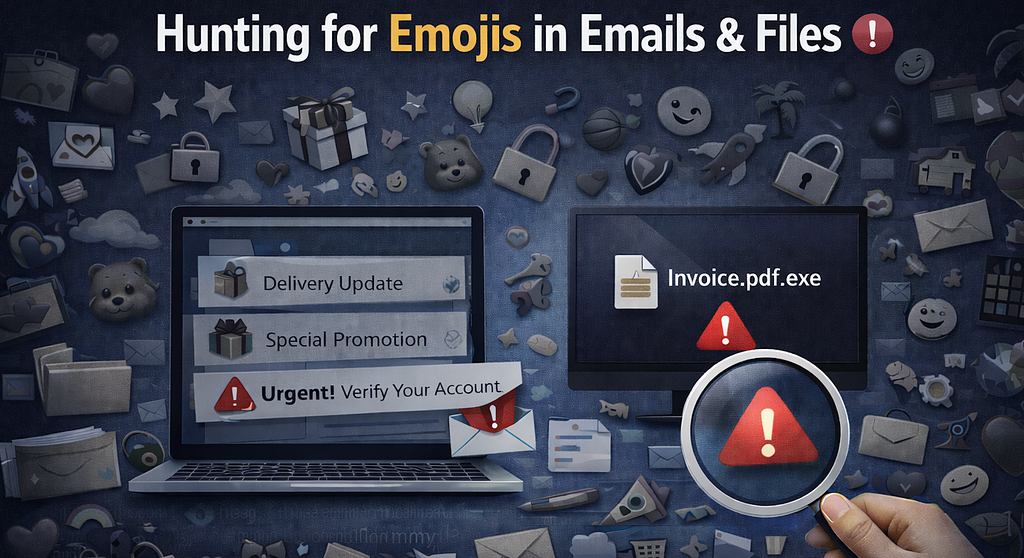
After some week without success searching for new scenarios to apply threat hunting, I finally discovered an approach that can help to investigate potential suspicious emails or files observing emojis in subjects and file names.
At first it may look like just a visual trick, but it can actually help spot:
- phishing emails
- suspicious attachments
- scam files
- mass campaigns
- files downloaded with social engineering names
Attackers take advantage of the emojis because they help the content stand out and gets more attention than plain text. For example:
 Account suspended
- Password expired
- Delivery update
The same idea also appears in file names, for example:
- Invoice.pdf
- Password_Reset.html
- Delivery_Label.zip
That is why grouping these events can help identify cases where this threat is active. You can also add keywords in the subject or file names such as Invoice, Urgent, Request, and others to increase the number of true positives. Let’s explore this further using some KQL queries.
Important! The following KQL Queries are oriented to identify the cases above but are not recommended to use it as Detection Rules until you clean-up potential false positives and you analysis your results, after it can be really good ones
1. Find domains sending many emails with Emojis in the subject
As a first query, I want to identify:
- Emails received with icons in the subject
- Where the URL was clicked
- Excluding cases where the sender is added as allowed either in the organization or user level
- Summarise by number of Emails, number of distinct recipients and also identify if the messages were delivered into Inbox Folders

EmailEvents
| where Timestamp > ago(7d)
| where isnotempty(Subject)
| extend Icons = extract_all(@“([\x{1F300}-\x{1FAFF}\x{2600}-\x{27BF}])”, Subject)
| where isnotempty(Icons)
| join kind=inner UrlClickEvents on NetworkMessageId
| where UserLevelPolicy !has ‘Allow’
| where OrgLevelPolicy !has ‘Allow’
| extend SenderIP = iff(isnotempty( SenderIPv4),SenderIPv4,SenderIPv6)
| extend geo_ip = tostring(geo_info_from_ip_address(SenderIP).country)
//| where Subject contains “
| summarize Distinct_Recipients=dcount(RecipientEmailAddress),make_set(RecipientEmailAddress),Emails=count() by Subject,SenderIP,geo_ip,ActionType, Workload, Url, ThreatTypes, LatestDeliveryLocation
| order by Emails, Distinct_Recipients
This can help surface:
- phishing campaigns
- spam waves
- bulk senders using visual tricks
2. Emojis in subject + phishing words
Emojis together with words like urgent, verify, password, or invoice can increase the threat match ratio to find emails trying to create urgency. However, we have the risk to lost other true positives using other words or same ones in other languages.
EmailEvents
| where Timestamp > ago(7d)
| where isnotempty(Subject)
| extend Icons = extract_all(@“([\x{1F300}-\x{1FAFF}\x{2600}-\x{27BF}])”, Subject)
| where isnotempty(Icons)
| where Subject has_any (“urgent”,“verify”,“action required”,“password”,“expired”,“invoice”,“payment”,“delivery”,“security”,“suspended”,“account”)
| project Timestamp,Subject,SenderFromAddress,SenderMailFromDomain,RecipientEmailAddress,DeliveryLocation,Icons
| order by Timestamp desc
3. Which Emojis are used the most in subjects?
This gives a quick overview of the most common emojis used in email subjects. Not really a threat hunting case by itself, but it’s a nice way to see what attackers (and marketers) like to use… and maybe find a few new emojis

EmailEvents
| where Timestamp > ago(7d)
| where isnotempty(Subject)
| extend Icons = extract_all(@“([\x{1F300}-\x{1FAFF}\x{2600}-\x{27BF}])”, Subject)
| where isnotempty(Icons)
| mv-expand Icons
| extend Icon = tostring(Icons)
| summarize Uses=count() by Icon
| top 20 by Uses desc
| project MostUsedIcon=Icon, Uses
4. Hunt for Emojis in file names on endpoints
Attackers do not only use emojis in the subject. Sometimes they also use them in the file name itself to make the file look more attractive or legitimate. Based on my experience, I am not expecting legitimate files names with icons so it can be an interesting case to easily convert the hunting into a detection. For example:
- Invoice.pdf
- Reset_Password.html
- Delivery_Document.zip
DeviceFileEvents
| where Timestamp > ago(7d)
| where isnotempty(FileName)
| extend Icons = extract_all(@“([\x{1F300}-\x{1FAFF}\x{2600}-\x{27BF}])”, FileName)
| where isnotempty(Icons)
| project InitiatingProcessRemoteSessionIP,MD5,DeviceName,FileName,FolderPath,InitiatingProcessFileName,Icons,ReportId,DeviceId
This can help find:
- suspicious files dropped on disk
- files downloaded from phishing emails
- user-downloaded scam files
- payloads with social engineering names
So it becomes easier to pivot into the full execution or download story.
5. Hunt for email attachments with Emojis in the file name
You can do the same on the email side for attachments. This is useful because sometimes the subject looks normal, but the attachment name contains the icon.
EmailAttachmentInfo
| where Timestamp > ago(30d) and isnotempty(FileExtension) and isnotempty(FileName)
| extend Icons = extract_all(@“([\x{1F300}-\x{1FAFF}\x{2600}-\x{27BF}])”, FileName)
| where isnotempty(Icons)
| join kind=inner (EmailEvents) on NetworkMessageId
| extend SenderIP = iff(isnotempty(SenderIPv4),SenderIPv4,SenderIPv6)
| extend geo_ip = tostring(geo_info_from_ip_address(SenderIP).country)
| project Timestamp,SenderDisplayName,SenderFromAddress,SenderIP,geo_ip,FileName,FileExtension,RecipientEmailAddress,Icons
| order by Timestamp desc
So now you are not only seeing that the attachment used an icon, but also where it came from.
Final thought
Emojis are not malicious by themselves. A lot of marketing emails use them, and sometimes users also save files with emoji just for fun. However from a threat hunting point of view, they are still a useful signal because attackers use them to:
- attract attention
- create urgency
- make files look more trustworthy
- improve click rate
So it is worth hunting for them in both:
- email subjects
- attachment names
- endpoint file names
Sometimes a very small visual detail is enough to uncover a wider phishing or malware campaign. 
Threat Hunting scenario: Catching emojis on Files and Email Subjects (+ KQL Queries) was originally published in Detect FYI on Medium, where people are continuing the conversation by highlighting and responding to this story.
Introduction to Malware Binary Triage (IMBT) Course
Looking to level up your skills? Get 10% off using coupon code: MWNEWS10 for any flavor.
Enroll Now and Save 10%: Coupon Code MWNEWS10
Note: Affiliate link – your enrollment helps support this platform at no extra cost to you.
1 post - 1 participant
Malware Analysis, News and Indicators - Latest topics

Sp123
"An underestimated security threat to organizations is employee apathy and burn out."
