Threats based on Clipboards actions (+ KQL Query)

We are currently placing a strong focus on threats related to AI — and while I truly believe that is the right direction, we shouldn’t forget that there are many long-standing techniques that attackers continue to abuse effectively. One of those overlooked areas is clipboard activity.
This is something every user interacts with daily, regardless of whether the security posture is relaxed or highly mature. Whenever a user copies data — either using the mouse or keyboard shortcuts like Ctrl + C — that information is stored temporarily in system memory (RAM) using the Windows clipboard mechanism (via APIs such as GetClipboardData).
According to T1115 Clipboard Data Technique () and different sources, this behavior has been observed and abused by attackers.
Clipboard history in windows
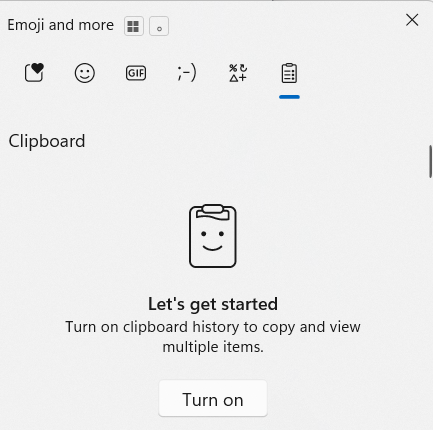
Disabled by default, on Windows, you can access Clipboard History by pressing Win + V once the is enabled. This shows a list of recently copied items (text, images, etc.) that you can paste selectively. It’s a handy feature for productivity — but also relevant for threat hunting because sensitive information can easily be populated there without any type of obfuscation.
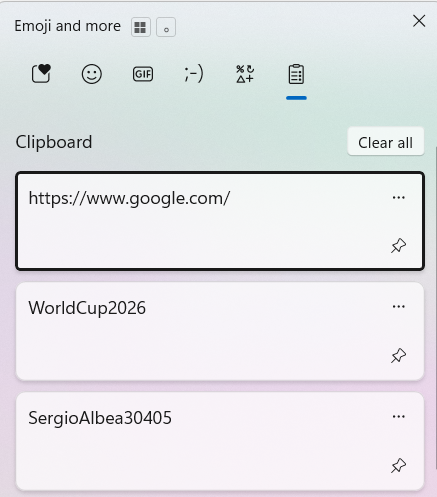
In addition, certain settings make it highly recommended to enforce a GPO that disables this feature by default across all endpoints, as users can easily enable it.
- Stores multiple copied items: Clipboard history keeps track of several recent items, not just the last one, including text, images, and small files. This can increase the exposure of sensitive information if an attacker gains access.
- Accessible via Windows APIs: Applications and services can access clipboard history through standard APIs (e.g., GetClipboardData). Threat actors often abuse these APIs to capture copied passwords, tokens, or cryptocurrency addresses. ( Using the Clipboard — Win32 apps | Microsoft Learn)
- Can be synced across devices: If the “Clipboard Sync” feature is enabled with a Microsoft account, copied items can be shared across multiple devices. From a threat hunting perspective, this expands the potential attack surface for sensitive data exfiltration.
- Events visible in security logs: Access to the clipboard can be detected in Endpoint Detection and Response (EDR) systems like Microsoft Defender XDR. Events referencing cbdhsvc, svchost.exe, or clipboard API calls can help identify suspicious or automated clipboard access.
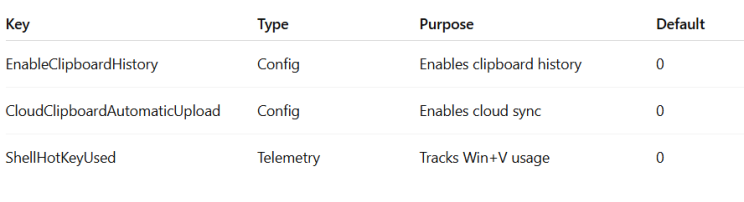
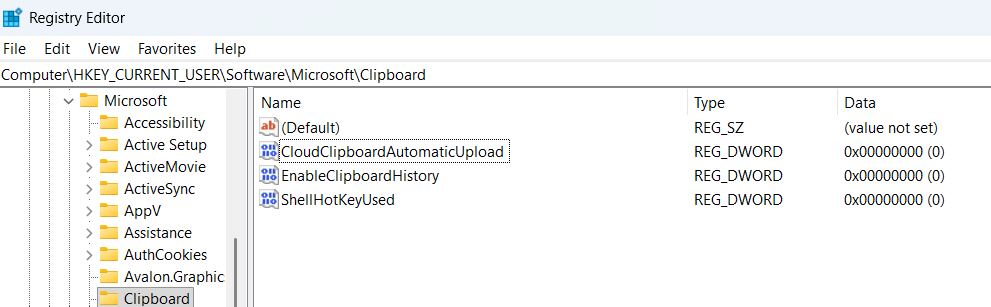
On the other hand, a set of registry keys can be monitored to track this feature and generate alerts whenever the service or its associated functionalities are enabled.
Catching Clipboard commands
Although auto-filling credentials in browsers and other login portals from distinct password management systems is now a common good practice, the reality is that there are still many situations where users continue to rely on copy-paste operations.
PowerShell clipboard commands can be more dangerous than I initially thought due to the additional cmdlets they provide. To give a quick example, I’m sharing a test I performed by creating a .cmd file on my computer.
@echo off
powershell -NoProfile -Command ^
“$last=‘’; ^
while ($true) { ^
  try { ^
    $current = Get-Clipboard -Raw; ^
    if ($current -ne $last -and $current) { ^
      $timestamp = Get-Date -Format ‘yyyy-MM-dd HH:mm:ss’; ^
      Add-Content -Path ‘C:\temp\clipboard_log.txt’ -Value "[$timestamp] $current"; ^
      $last = $current; ^
    } ^
  } catch {} ^
  Start-Sleep -Milliseconds 500 ^
}”
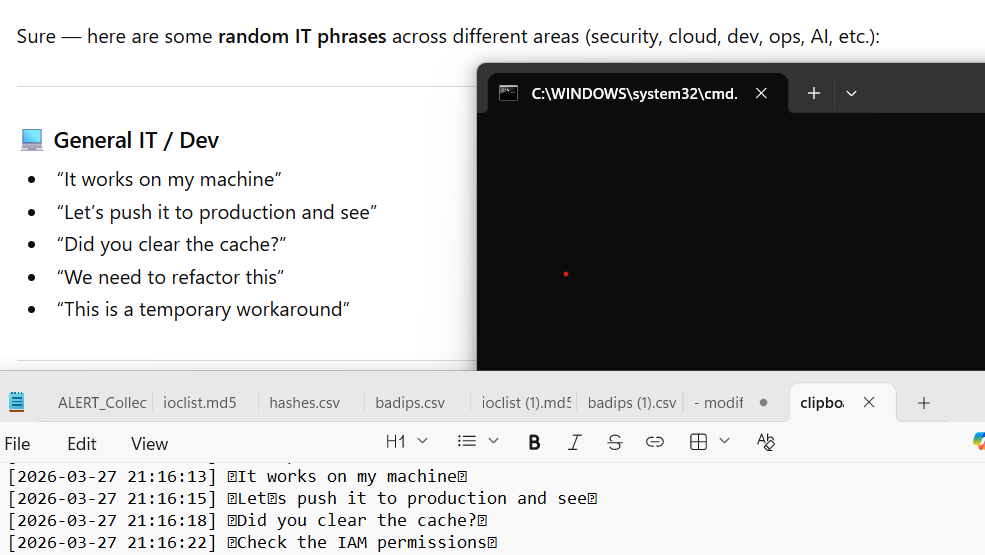
Once executed, everything copied with Ctrl+C or by right-clicking is automatically recorded. This means that if I copy a password from a password manager, from an email, from a website, or any other sensitive data, it will be written into a file.
This is where the real risk appears. Imagine this process running silently in the background on a compromised device until the attacker decides to retrieve the information.
Using a .cmd file, this could run in the background for days, collecting clipboard content until the actor considers the captured data sufficient. After that, the same script could launch another command to exfiltrate the information, for example through email, an HTTP request, or by triggering a second process.
 Below, you have an example of the CMD running and how all the phrases copied from ChatGPT, are registered in a .txt file with it corresponding dates :keyboard:
And if that was not enough, the clipboard-related PowerShell commands include additional capabilities that could also be abused for malicious purposes.
Set-Clipboard -AsOSC52 : Writes to clipboard over remote sessions and is used in SSH/remote terminals. It can be abused by attackers to injects data into local clipboard from a remote systems.
Set-Clipboard -Append: Appends content (simulated) to existing clipboard. Actors could modifies clipboard without fully overwriting it (less noticeable)
Detection Rule KQL Query
After conducting several investigations, I found that the usage of clipboard-related PowerShell commands is practically non-existent across different users. This aligns with expectations, as it is unlikely that users interact with these cmdlets directly via the command line.
Because of this low baseline, any occurrence of such activity becomes highly relevant from a detection perspective. The following KQL query can therefore be configured as a Detection Rule. I have also validated it using the script shared above, confirming its effectiveness in identifying this behavior.
DeviceProcessEvents
| where ProcessCommandLine contains “clipboard”
| where FileName has “powershell.exe”
| summarize  by Timestamp,ProcessCommandLine,DeviceId,DeviceName,AccountName,FileName, ReportId

Conclusion
Clipboard activity is a perfect example of how simple, everyday behavior can become a powerful attack vector. While we focus on new threats like AI, attackers continue to rely on techniques that are easy, silent, and effective.
Because clipboard usage is so common, it often goes unnoticed — making it ideal for collecting sensitive data over time. The good news is that this also creates strong detection opportunities, especially when looking at uncommon behaviors like PowerShell clipboard usage.
Sometimes, the most valuable detections don’t come from new trends, but from rethinking what we already have in front of us.
Threats based on Clipboards actions (+ KQL Query) was originally published in Detect FYI on Medium, where people are continuing the conversation by highlighting and responding to this story.
Introduction to Malware Binary Triage (IMBT) Course
Looking to level up your skills? Get 10% off using coupon code: MWNEWS10 for any flavor.
Enroll Now and Save 10%: Coupon Code MWNEWS10
Note: Affiliate link – your enrollment helps support this platform at no extra cost to you.
Article Link: https://detect.fyi/threats-based-on-clipboards-actions-kql-query-93615eef79b7?source=rss----d5fd8f494f6a---4
1 post - 1 participant
Malware Analysis, News and Indicators - Latest topics

Sp123
"An underestimated security threat to organizations is employee apathy and burn out."
