Yoroi Wallet Phishing Abuses GoTo Resolve and ScreenConnect for Device Takeover
Overview
Introduction to Malware Binary Triage (IMBT) Course
Looking to level up your skills? Get 10% off using coupon code: MWNEWS10 for any flavor.
Enroll Now and Save 10%: Coupon Code MWNEWS10
Note: Affiliate link – your enrollment helps support this platform at no extra cost to you.
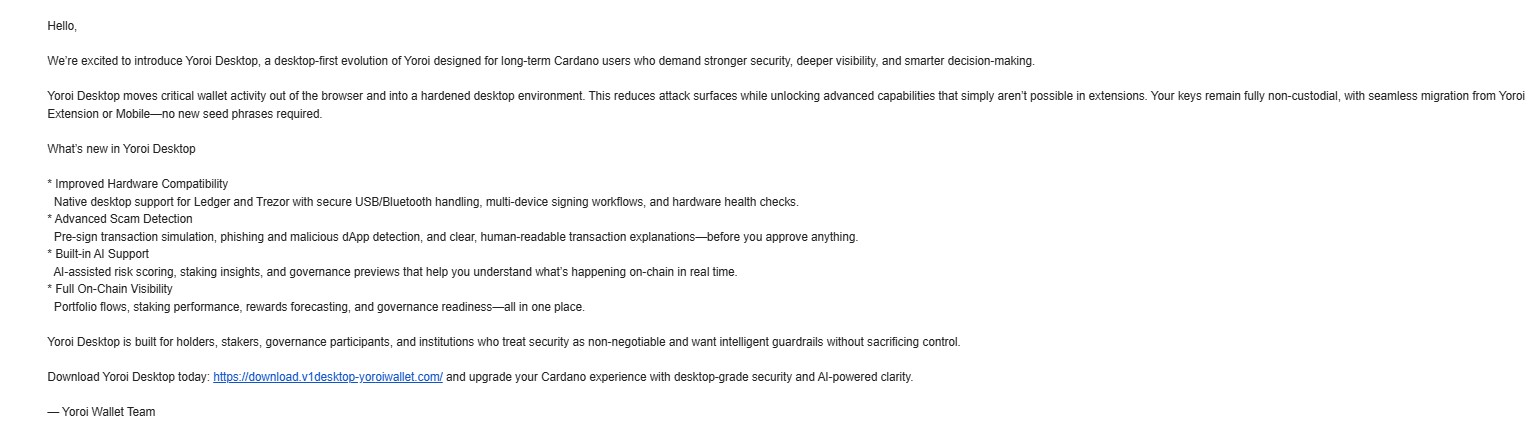
I recently came across a phishing campaign impersonating the Yoroi Desktop Wallet, targeting cryptocurrency users with what looked like a legitimate upgrade.
The email itself was clean and well-written. It talked about improved security, hardware wallet support, and even AI-based scam detection. Nothing immediately stood out as suspicious. The landing page looked polished too, with proper branding and a familiar layout.
The Setup
The phishing email redirects users to a domain:
hxxps://download[.]v1desktop-yoroiwallet[.]com/
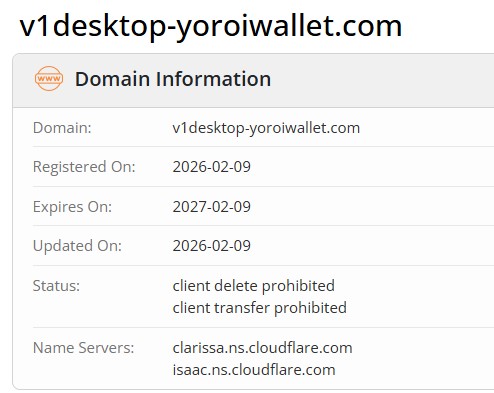
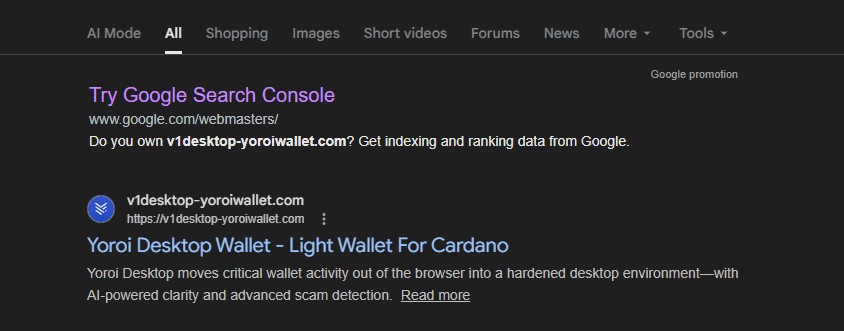
the domain was recently registered (Feb 2026), yet it was already indexed on Google, meaning users could also land on it via search results, not just email.
The Download That Isn’t a Wallet
The site promotes a “Yoroi Desktop” download, but instead of hosting anything legitimate, it redirects to a file-sharing service and delivers an MSI file:
hxxps://store-na-phx-1.gofile.io/download/direct/900a7e14-a15a-41f6-94fb-c88603d09463/YoroiDesktop-installer.msi
hxxps://cold8[.]gofile[.]io/download/direct/900a7e14-a15a-41f6-94fb-c88603d09463/YoroiDesktop-installer.msi
hxxps://store-na-phx-5[.]gofile[.]io/download/direct/87c6015b-8a47-4cde-9e31-aaacd3f4193c/YoroiDesktop-installer.msi

Running the installer doesn’t give you a wallet. It installs GoTo Resolve (LogMeIn) in unattended mode.
Silent Remote Access via GoTo Resolve
File name: YoroiDesktop-installer.msi
File hash: 8634AD3C6488D6A27719C5341E91EEB9
File name: unattended-updater.exe
File hash: 2A2D9B03AA6185F434568F5F4C42BF49
Once executed, the system is quietly enrolled into a remote access setup. There’s no obvious warning, no suspicious pop-ups, just a legitimate tool being used in the wrong way.
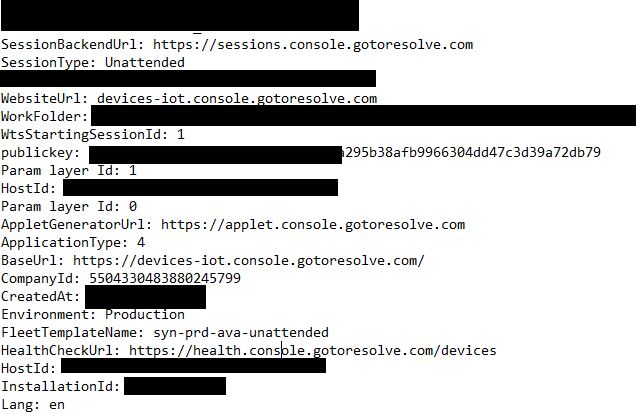
Looking at the configuration reveals what’s happening behind the scenes:
CompanyId: 5504330483880245799
Namespace: syn-prd-ava-unattended
FleetTemplateName: syn-prd-ava-unattended
This isn’t random. It shows the machine is being registered into a pre-configured remote access fleet, controlled by whoever owns that GoTo Resolve tenant.
At this point, the attacker doesn’t need to trick the user anymore. They already have what they need, persistent access to the device.
A Second Variant: ScreenConnect
File hash: e79a47fc85955123f0821223a4cf2595
File name: yoroi-wallet.msi
While pivoting on this activity through URLScan, I came across another domain following the same theme:
yoroi-wallet[.]org

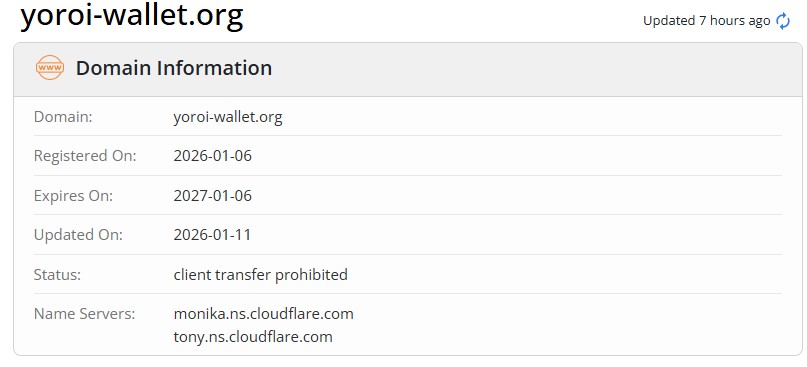
This one doesn’t use GoTo Resolve. Instead, it delivers a payload based on ConnectWise ScreenConnect, another legitimate remote access tool.
Inside the dropped configuration file, the intent becomes clear:

The important part here is the relay server:
instance-p1b26i-relay[.]screenconnect[.]com
This tells the client exactly where to connect. Once installed, the system reaches out to that server and establishes a remote session.
Again, no exploit, no malware in the traditional sense, just legitimate software used to gain control.
A Familiar Pattern
This isn’t the first time I’ve seen something like this.
It closely resembles a campaign I previously analyzed where RMM tools were abused in a crypto wallet distribution flow:
One thing that stands out across both campaigns is how the payload is delivered.
In all cases, the final MSI files are not hosted directly on the phishing domains. Instead, the sites redirect users to gofile[.]io, a legitimate file-sharing service, to download the installer.
This adds another layer of evasion. Hosting the MSI on a legitimate service like gofile makes it harder to block and also reduces suspicion from users, since the download doesn’t come directly from the phishing domain.
While digging further into this, I also noticed that the MSI files are hosted across multiple gofile storage endpoints such as:
store-na-phx-[1/4/5].gofile.io/download/direct/
Changing the server index (for example, 1, 4, or 5) reveals similar download paths hosting MSI files that follow the same theme, crypto wallet installers that actually deploy RMM tools.
Combined with the use of legitimate tools like GoTo Resolve (LogMeIn) and delivery through trusted file-sharing services, the overall chain appears clean on the surface but ultimately leads to full remote access.
Indicators
URLs
v1desktop-yoroiwallet[.]com
yoroi-wallet[.]org
instance-p1b26i-relay[.]screenconnect[.]com
YoroiDesktop-installer.msi
yoroi-wallet.msi
CompanyId: 5504330483880245799
Namespace: syn-prd-ava-unattended
File Hash
8634ad3c6488d6a27719c5341e91eeb9
2a2d9b03aa6185f434568f5f4c42bf49
e79a47fc85955123f0821223a4cf2595
be8c2d03333cbd13dab654260c60b025
Article Link: Yoroi Wallet Phishing Abuses GoTo Resolve and ScreenConnect for Device Takeover – Malware Analysis, Phishing, and Email Scams
1 post - 1 participant
Malware Analysis, News and Indicators - Latest topics

Sp123
"An underestimated security threat to organizations is employee apathy and burn out."
